We are proud of our reputation as a company that keeps its customers and cherished relationships at the center of everything we do. We commit to the fact that you’ll find a partner in Connection that is obsessed with your success. This means bringing you the best products in the world, at the most competitive prices, and providing access to a broad set of IT services designed to help you innovate, grow your business, and get the most value out of your technology investments.
We will strive for your success, and we look forward to every opportunity to serve you and help meet your small business technology needs.


Small Business Technology Updates
Keep Me Informed about the Latest News Tailored to My Small Business

Featured Products

Small Business Technology in 2026: Five Trends Shaping Security, AI, and IT Readiness
These changes aren’t about adopting more technology. They reflect a change in how work gets done, how access is controlled, and how organizations prove they can operate securely and reliably.
Below are five small business technology trends for 2026, along with practical steps that help keep them from creating new risks or operational friction.

1. Windows 10 End of Support Forces Long-Overdue Device Decisions
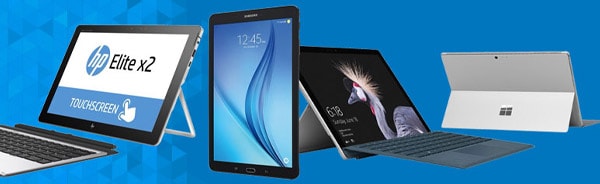
Now that Windows 10 support ended in October 2025, many small businesses have to take a closer look at aging laptops and desktops that were previously meeting basic needs. Microsoft’s Windows 10 lifecycle documentation makes it clear that once support ends, devices no longer receive security updates, which increases security risk.At the same time, many older devices will not meet Microsoft’s Windows 11 hardware requirements, so an upgrade path is not always available. For SMBs, the bigger issue is the day-to-day support burden: too many device types, inconsistent configurations, and manual updates that strain limited IT time.
Practical steps to take now:
- Build a simple device inventory to understand what can be upgraded and what must be replaced.
- Standardize on a small set of device models and configurations that meet Windows 11 requirements.
- Use basic endpoint management so updates, encryption, and security settings are applied consistently.
2. AI Moves From Experimentation to Everyday Work
AI is becoming part of everyday work for small businesses. Employees are using it to draft emails, summarize meetings, generate content, and support research, often before formal policies or approved tools are in place.In 2026, the question is not whether AI can add value. It’s whether it is introduced with clear use cases, simple standards, and a defined review step so outputs are checked before they are shared or acted on. Without that structure, AI use can create inconsistency and increase unnecessary security and compliance risk.
For small businesses, the takeaway is to be deliberate. Productivity gains matter most when tools are introduced with clear guardrails around approved platforms, appropriate data use, and consistent workflows, rather than leaving adoption to individual preference.
Practical steps to take now:
- Identify two or three business use cases worth standardizing, such as customer communications, internal documentation, or meeting summaries.
- Define simple guardrails that clarify approved tools, restricted data, and access levels.
- Provide a set of short “how we use AI” guidelines so usage is consistent and aligned with business expectations.
3. Identity Becomes the Primary Security Control
Most attacks on small businesses don’t start with a sophisticated network break-in. They start with someone logging in using stolen credentials. Phishing, credential reuse, and account takeover remain highly effective, especially when employees access business systems from multiple locations and devices.Guidance from the Cybersecurity and Infrastructure Security Agency (CISA) highlights multi-factor authentication as one of the most effective steps to reduce account compromise. As more work moves into cloud apps, identity controls often matter more than the office network perimeter. For many small businesses, the best progress comes from tightening basic access controls rather than adding new tools.
Practical steps to take now:
- Enforce multi-factor authentication broadly, especially for email, administrative tools, and finance systems.
- Remove shared administrator accounts and reduce excessive privileges.
- Adopt passkeys or passwordless authentication where supported by core applications to reduce phishing risk.
4. Backup Alone Is Not Enough Without Proven Recovery
Many small businesses assume they’re protected because they have backups. In practice, ransomware and outages often expose recovery gaps, such as backups that can’t be accessed, restores that take too long, or missing credentials at the worst moment.Federal ransomware preparedness guidance and NIST’s small business cybersecurity resources both emphasize protecting backups and validating recovery processes before an incident occurs so recovery is possible when it matters and downtime is minimized.
Practical steps to take now:
- Secure backup systems with separate access controls, multi-factor authentication, and limited administrative rights.
- Enable immutability or retention protections where supported to prevent tampering.
- Test restores on a routine basis to confirm recovery assumptions and reduce downtime risk.
5. SaaS Sprawl Increases Costs and Security Exposure
As SaaS adoption grows, subscriptions multiply, features overlap, and licenses often go unused. But over time, this sprawl can increase costs, complicate support, and leave behind unnecessary access that expands the attack surface. SaaS sprawl becomes a problem when organizations lack clear ownership and visibility into application usage. Managing subscription growth is not just a budgeting exercise. It is also a governance and security challenge, particularly for small businesses with limited IT oversight and fast-changing toolsets.Practical steps to take now:
- Consolidate overlapping applications where possible.
- Define clear ownership for approving new SaaS tools and reviewing usage.
- Regularly remove inactive users and reclaim unused licenses to reduce cost and risk.
The 2026 Priority: Fewer Emergencies, Smoother Work
Across these trends, the theme is simple: small businesses need to modernize in a few unavoidable areas while putting basic standards in place for fast-growing tools. Focusing on device readiness, identity controls, recovery planning, and SaaS oversight reduces risk without adding unnecessary complexity.Our Small Business Guide to Cybersecurity helps to identify valuable assets and conduct a risk assessment for your small business. If you want support turning these priorities into a practical plan, Connection can help you assess what to fix first and then plan, source, deploy, and manage the technology with your team’s capacity in mind.
Success in 2026 is less about adding new tools and more about keeping systems stable, risks manageable, and day-to-day work running smoothly.

Small Business Technology Products

Deal of the Week
A New Deal Every Monday Morning
Shop our Deal of the Week for great savings every Monday at 10:00 a.m. through Friday at 5:00 p.m. ET. You’ll enjoy quality products at a discounted price—while supplies last.And don’t forget to sign up for our weekly deal email, so you don’t miss another great offer!

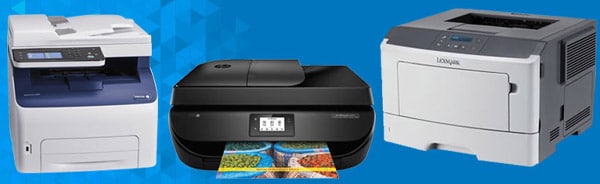
Small Business Printers
Printers are a common feature in any small business. But not all printers are the same and they’re not equally suited for each printing task. The printer used by a law firm to print extensive contracts is not going to be used to print transaction receipts at a retailer or to print large banners at an ad agency. Find the right printer to meet your unique business needs.
Technology Discounts





Unlock the Power of Adobe Substance 3D
Scale Content Production with Intuitive and Powerful Tools
Adobe Substance 3D offers smart apps and high-end content creation tools that give you everything you need to make inspiring art. For the beginner and expert alike.Learn More

Create without Limits
How to make creative workflows more productive?
Give teams direct access to unlimited stock assets inside their favorite apps. Let’s talk Adobe Creative Cloud Pro Editions.Learn More
AI is here—are you ready?


1Microsoft: Will AI fix work, Work Trends Index Annual Report,May 2023.
2IDC: IDC Forecasts Artificial Intelligence PCs to Account for Nearly 60% of All PC Shipments by 2027, 2024.
3Statista: AI-capable PC shipments worldwide in 2024 and 2028, 2024.

Do Business Faster with Adobe Acrobat Pro
The power of PDF plus unlimited e-signatures. In one app.
Adobe Acrobat Pro is the complete all-in-one PDF and e-signature solution that empowers teams to get work done faster.
Empower Employees
WFH, RTO, or Hybrid: Let Us Help You Find the Tools for Today’s Everywhere OfficeSmall Business Technology Resources
Cloud Computing for SMBs: How to Build a Scalable and Cost-Effective IT Strategy
Cloud adoption is about more than just saving money, it’s a strategic move that enables flexibility and resilience. If you’re ready to build a smarter, more scalable IT strategy, this guide will show you how to make cloud computing work for your business.

How to Invest in Small Business Technology for Maximum ROI
Are you considering a small business technology investment? From determining budget priorities to selecting the right devices, discover how to move forward with a smart investment plan.Sponsored by: 
5 Strategies for Maximizing Your Small Business Technology Budget
Discover five strategies your small business can use to stretch your technology budgets further to help you continue to thrive—even in difficult times.

Laptop Buying Guide
Outfitting a mobile workforce—while improving collaboration and productivity—is no small task. There are a number of factors that need to be addressed to find the right laptop(s) that fit your small business technology needs and budget.- What operating system works best for your ecosystem?
- How long do you need to go between battery charges?
- Does your work environment need a ruggedized device?

Monitor Buying Guide
Finding the right monitor to fit your needs isn’t as simple as it seems. The search doesn’t start and end with a display size. There are a number of other factors to consider.Start by answering the question, “What is its intended use?” This will help you identify the necessary (and unnecessary) technologies and features you should consider. For instance, you may need HDR and 4K for graphic-intensive work, like animation and video editing, but they won’t be required for general office administration.
Check out our buying guide to help find the right monitor to fit your needs.

Printer Buying Guide
Are you in the market for new printers? There are a number of questions you should evaluate when considering new printers for your office.What level of security and encryption do you need? Monochrome or color? What is the expected printing volume? How much memory do you need? Inkjet or laser? Is printing speed an important factor? How about print quality?
The answers to these questions will help you make an informed decision and help you avoid the common printer buying pitfalls that face small businesses today.

Data Storage Buying Guide
Looking for the perfect data storage solution? Your organization has unique data storage needs that no one-size-fits-all approach will meet. At Connection, we understand this, and we’ve got you covered.There are a number of things you need to consider like how much capacity you need. Should you investigate SATA or SAS? NVMe or PCLe? And what about hard disk drives vs. solid state drives?
To answer these questions and more, check out our Data Storage Buying Guide and discover the optimal data storage solution to fit your needs.

The Top 5 Small Business Technology Trends You Need to Thrive
Small business technology is fueling growth and innovation. Making strategic investments can help you increase productivity, reach new audiences, and transform the customer experience. Read this white paper for a closer look at five trends helping organizations like yours realize modernization initiatives. Plus, we’ll show you how to choose technology investments that can help your company adapt to the realities of today’s work environment and thrive in the years ahead.
Small Business Sustainable Technology Guide
If you are a small business with sustainability in mind, we’ve got you covered. Small steps toward greater sustainability are easier than you may think.From identifying sustainable design and technology to analyzing employee behavior to conducting regular audits—our Small Business Sustainable Technology Guide can help you create a strategy to reap the rewards of a socially and environmentally sustainable business.


Connection Community

Windows Server 2012 Will Reach End of...
Windows Server 2012 reached the end of mainstream support in October 2018. Microsoft offered extended support for five years, allowing customers time... Read More

How to Leverage a Staffing Partner to...
Our economy has seen significant challenges over the past several months. This is forcing many companies across the country to... Read More

The Apple Experience: Empowering...
Apple believes in providing customers with products that not only inspire creativity but also enhance productivity. Mac, a cornerstone of... Read More

Mac Makes Sense. And Cents.
The Mac business today is stronger than ever. Mac continues to lead the industry in customer satisfaction—as it has for... Read More

Mac Makes IT Deployment Easy
Over the last decade, many businesses have made their way to Mac. This really means a lot of the same... Read More

Small Business Technology Trends
Technology is at the forefront in supporting how small businesses thrive in today’s economic landscape. Here’s a closer look at five trends driving small business technology in 2023 and beyond.Latest Technology Trends

Maximize App Delivery Performance and Security
Experience seamless flexibility and work from anywhere with Citrix and Microsoft Azure.
Learn More
Small Business Technology Services and Support
About Connection
Advanced Technology, Valuable Services, and Expert Guidance
Your small business technology needs, challenges, and goals are unique. So why choose an IT partner who treats you like everyone else? You deserve a partner who understands you—and technology that celebrates your strengths. Learn why Connection has been trusted for more than 35 years to deliver IT solutions and services that stand apart from the competition. Find out what makes us different—just like you.Experience the Connection Difference Today
Exceptional customer service is our hallmark, and we’re dedicated to helping you find innovative, affordable solutions that simplify technology.

Benefits of a Connection Account
Discover Why 60,000+ Organizations Partner with Us
Think of the Connection team as an extension of your own IT staff. With a Connection account, someone who understands your business, your IT systems, and your technology needs is only a phone call or a click away—completely free of charge. If you have a question or need help, we’re here for you.- Advanced Reporting
- Personalized Shopping
- Purchasing Approvals
- System Integration
- Special Pricing
- Dedicated Account Team

Moving to the Cloud?
With an experienced cloud services partner on your side, you'll maximize the benefits of cloud technology and mitigate the risks.Industry-Leading Partnerships
With a reliable IT partner on your side, you can turn challenges into opportunities. A partnership with Connection will deliver in-depth expertise, savings, and outstanding service.
We offer more than 300,000 IT products from the industry’s top brands—relationships established to deliver the solutions and services your business needs at the prices that fit your budget.
Make Our Partnerships Work for You




Partner Spotlight
Introducing: GoTo Resolve
Stay on top of all your IT needs with a single solution that brings together remote monitoring and management, remote access and support, ticketing, automation, and more.
Your All-in-One IT Management and Support Solution
GoTo Resolve helps IT professionals streamline their help desk to engage, identify problems, and fix issues faster—all in one place.
Meet GoPilot, Your AI-Powered Assistant
GoPilot allows GoTo Resolve users to save time and achieve better results with real-time device health scans, live screen interpretation, automated note taking, guided patch management, and so much more.